
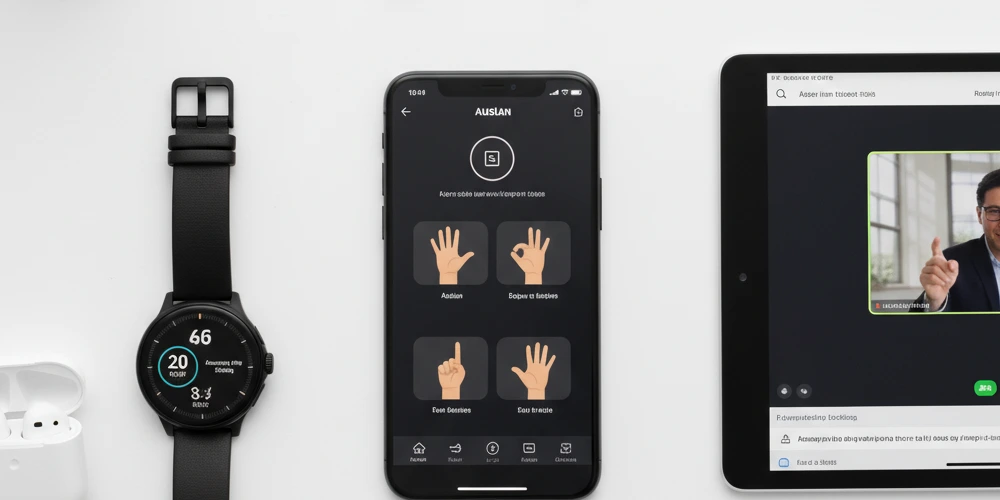
Technology has revolutionised life for deaf and hard of hearing Australians. From real-time captioning to visual alert systems, today’s apps and devices offer unprecedented independence and communication access. Whether you’re navigating daily conversations, managing emergency situations, enjoying entertainment, or staying connected with others, there’s likely a technological solution that can help.
This comprehensive guide explores the best apps and devices available to deaf Australians in 2025, covering everything from communication tools to safety devices, from hearing technology to accessibility aids. We’ll help you understand what’s available, how it works, and which solutions might be right for your needs.
Communication Apps: Breaking Down Barriers
Effective communication is fundamental, and today’s apps make it easier than ever for deaf people to participate in conversations, phone calls, and meetings.
Real-Time Transcription Apps
Real-time transcription apps convert spoken words into text as they’re being said, allowing you to follow conversations without hearing them.
Live Transcribe (Android, Free)
Google’s Live Transcribe is one of the most popular and effective transcription apps. It uses advanced speech recognition to provide near-instant captions for any speech picked up by your phone’s microphone. The app works in over 70 languages and can even identify different speakers by name.
Features include:
- Real-time transcription with minimal delay
- Works both online and offline (offline mode available for select languages)
- Adjustable text size for easy reading
- Option to vibrate when specific names are mentioned
- Saves recent conversations for reference
- Free to use on most Android devices
Ava (iOS and Android, Freemium)
Ava specialises in group conversations, making it excellent for meetings, classes, or social gatherings. Multiple people can connect to the same conversation, with the app identifying who’s speaking.
Features include:
- AI-powered captioning with optional professional human captioners
- Speaker identification
- Conversation history
- Works across multiple devices simultaneously
- Free version available with limitations; subscription for unlimited use
Live Caption (Built into newer Android devices and iPhones)
Most modern smartphones now have live caption functionality built directly into the operating system. On Android (Pixel 6 and newer, plus some Samsung devices), Live Caption provides automatic captions for any media with audio—videos, podcasts, phone calls, and even video chats. iPhones (11 and newer with iOS 18 or later) offer similar functionality.
This native integration means you don’t need to download a separate app, and it works across all your phone’s audio.
Video Communication Apps
Video calling allows deaf people to communicate in Auslan (Australian Sign Language) with anyone, anywhere.
Standard Video Calling (FaceTime, WhatsApp, Zoom)
Most mainstream video platforms work excellently for sign language communication. FaceTime (Apple devices), WhatsApp Video, Zoom, and Microsoft Teams all provide clear video quality suitable for signing.
Tips for optimal sign language video calls:
- Ensure good lighting (avoid backlighting)
- Position the camera to capture your full signing space
- Use a stable internet connection for smooth video
- Consider landscape orientation for wider signing space
National Relay Service App (Free for Australian residents)
The National Relay Service is an Australian government service that helps deaf, hearing impaired, and speech impaired people make phone calls. The NRS app offers several options:
- Video Relay: Communicate in Auslan through a sign language interpreter who voices your message to the hearing person
- Captioned Relay: Real-time captions of what the other person is saying during phone calls
- Voice Relay: For people with speech impairments
This service is funded by the Australian government and free for eligible Australians.
Text-to-Speech and Large Text Apps
Sometimes you need to communicate with someone who doesn’t know Auslan and isn’t wearing a mask or facing away. Large text apps solve this problem.
Cardzilla (iOS)
Cardzilla converts your typed text into large words that fill the entire screen—no scrolling needed. It’s perfect for quick communications in shops, cafes, or anywhere you need to show a message.
Features:
- Auto-resizing text to fill the screen
- Saves messages for quick access later
- Customisable colours
- Dark mode support
- Shake to clear function
Make It Big (iOS and Android – different apps with similar names)
Like Cardzilla, Make It Big displays typed text in large format. The Android version (by Cazimir Roman) and iOS version (by An Trinh) are separate apps but serve the same purpose—making written communication easy and visible without handing over your phone.
Safety and Alert Apps
Deaf Australians face unique safety challenges when they can’t hear alarms, knocks, or emergency alerts. These apps and devices help bridge that gap.
Sound Detection and Alert Apps
Sound Recognition (Built into iOS)
Apple’s built-in Sound Recognition feature (available in iOS 14 and later) can detect specific sounds and alert you visually and with vibrations. You can set it to recognise:
- Fire alarms and smoke alarms
- Sirens
- Baby crying
- Dog barking
- Doorbell
- Knock on door
- Water running
- Appliance beeps
- Shouting
To activate: Settings > Accessibility > Sound Recognition > Toggle On > Select which sounds to monitor.
Sound Notifications (Built into Android)
Android’s Sound Notifications (available on Pixel phones and some other Android devices) works similarly to iOS’s Sound Recognition, alerting you to important environmental sounds through your phone and compatible smartwatches.
Deaf Wake (iOS, Paid)
This specialised alarm app uses a combination of strobe lights, vibrations, and visual effects to wake you up. It’s designed specifically for deaf people who may not hear traditional audio alarms.
Visualfy (iOS and Android)
Visualfy turns your smartphone into a universal alert system. It detects sounds in your environment (doorbells, fire alarms, phone ringing) and sends visual notifications, vibrations, or flashing lights to alert you.
Emergency Communication Apps
Emergency+ (Free)
Australia’s official emergency app provides quick access to emergency services (000) with additional features useful for deaf callers:
- GPS location sharing with emergency services
- Ability to send text messages to emergency services in some jurisdictions
- Information about your location displayed clearly
- Quick access to emergency service numbers
While 000 calls typically require voice, this app can help communicate your location clearly when combined with the National Relay Service.
Hearing Technology and Companion Apps
If you use hearing aids or cochlear implants, companion apps can enhance your hearing technology experience.
Hearing Aid Control Apps
Most major hearing aid manufacturers now offer smartphone apps that let you:
- Adjust volume and settings discreetly
- Switch between listening programs
- Stream phone calls and audio directly to your hearing aids
- Locate lost hearing aids
- Monitor battery levels
- Receive firmware updates
Popular brands with Australian presence include:
- Phonak (myPhonak app)
- Oticon (Oticon ON)
- Signia (Signia app)
- Widex (Widex MOMENT)
- ReSound (ReSound Smart 3D)
Check with your audiologist or Australian Hearing for specific recommendations based on your devices.
Cochlear Implant Apps
Cochlear implant users can access companion apps from manufacturers like:
- Cochlear Limited (Nucleus Smart app) – Australian company
- Med-El (AudioKey app)
- Advanced Bionics (AB Remote app)
These apps offer similar control features to hearing aid apps, plus specialised functions for implant users.
Sound Amplification Apps
Sound Amplifier (Android, Free)
Google’s Sound Amplifier uses your phone’s microphone to pick up sounds and amplify them through your connected headphones or earbuds. It can boost quiet sounds while filtering out background noise.
Useful for:
- Amplifying conversations in noisy environments
- Enhancing TV or lecture audio
- Adjusting amplification separately for each ear
Live Listen (iOS, Built-in)
Apple’s Live Listen feature (available on iOS devices) turns your iPhone into a remote microphone, streaming audio directly to compatible hearing aids, AirPods, or Beats headphones.
To use: Place your iPhone near the sound source (like a lecturer at the front of a room) while you sit further away, and the sound streams directly to your hearing devices.
Entertainment and Media Apps
Accessing entertainment shouldn’t require compromising your communication preference.
Captioning Services
ABC iview (Free)
The Australian Broadcasting Corporation’s streaming service offers extensive closed captioning on most programs. Many shows also feature Auslan interpretation, particularly for news bulletins.
Streaming Services with Strong Captioning
Most major streaming services available in Australia offer closed captions:
- Netflix (excellent caption coverage)
- Stan
- Disney+
- Amazon Prime Video
- Binge
- Paramount+
Look for the “CC” symbol when browsing content. Caption quality and coverage vary, but most services now caption the majority of their content.
Music Apps for Deaf Users
Deaf Spotify Experience
While traditional music apps focus on audio, many deaf people enjoy music through vibrations, visual representations, and lyrics.
- Turn on “Canvas” in Spotify for visual animations synced to songs
- Enable lyrics display to follow along
- Use high-quality headphones or speakers that produce strong bass vibrations
Soundwave Apps
Apps like “Wavelet” (Android) or audio visualisers can display sound waves and frequencies, providing visual feedback for music and other audio.
Accessibility Tools and Utilities
Australian-Specific Resources
My Hearing App (Australian Hearing, Free)
If you’re a client of Australian Hearing, this app lets you:
- Book appointments
- Order batteries for your hearing devices
- Find your nearest Australian Hearing centre
- Access information about your hearing services
NDIS MyPlace Portal (For NDIS Participants)
If you’re an NDIS participant, the myplace portal (available as an app) helps you manage your plan, find service providers, and track your funding—including funding for assistive technology and communication support.
Note-Taking and Organisation Apps
Otter.ai (iOS and Android, Freemium)
Otter uses AI to transcribe meetings, lectures, and conversations. While not designed exclusively for deaf users, it’s excellent for capturing spoken information for later review.
Features:
- Records audio and transcribes simultaneously
- Identifies different speakers
- Searchable transcripts
- Shareable notes
- Integration with Zoom and other meeting platforms
Caption Readers
Subtitles Viewer (iOS and Android)
This app connects to your streaming device and displays subtitles on your phone or tablet in customisable sizes and positions. Useful if you’re watching something on a TV or screen where you can’t adjust caption size.
Smart Home Integration
Visual Doorbells and Alert Systems
Smart Doorbell Cameras
Video doorbell systems like Ring, Nest Hello, or Arlo provide visual notifications on your smartphone when someone’s at your door. You can see who’s there and even communicate via text or video without hearing the doorbell.
Smart Home Assistants with Visual Output
While Amazon Alexa and Google Assistant are primarily voice-based, they can be paired with smart displays (Echo Show, Google Nest Hub) that provide visual feedback. Combined with routines and visual alerts, these can be useful for:
- Setting visual timers
- Getting weather and news displays
- Controlling smart lights for notifications (e.g., lights flash when doorbell rings)
- Visual reminders and notifications
Choosing the Right Technology for Your Needs
With so many options available, how do you decide which apps and devices are right for you?
Assess Your Priorities
Communication Needs: Do you primarily need support for one-on-one conversations, group meetings, or phone calls?
Safety Concerns: Do you live alone? Do you need alerts for smoke alarms, doorbells, or babies?
Work or Study Requirements: Do you need captioning for meetings, lectures, or professional development?
Entertainment Preferences: Do you watch a lot of TV or movies? Listen to podcasts?
Budget Considerations: While many excellent apps are free, some premium features require subscriptions. Devices like smart doorbells or vibrating alarm clocks require upfront investment.
Start Simple
Don’t feel pressured to download dozens of apps immediately. Start with one or two that address your most pressing needs. Learn to use them well, then expand your toolkit as needed.
Consider Your Existing Devices
Take advantage of built-in accessibility features on devices you already own:
- If you have an iPhone, explore iOS accessibility features like Sound Recognition, Live Captions, and Live Listen
- Android users should check out Live Transcribe, Sound Notifications, and Sound Amplifier
- Many features are built into your operating system—you don’t need third-party apps
Seek Funding Support
Some apps and devices may be covered by:
- NDIS funding: If you’re an NDIS participant, assistive technology including apps, devices, and hearing technology may be covered under your plan
- Australian Hearing: Eligible Australians can access hearing services and devices through Australian Hearing
- Insurance or superannuation: Some policies cover hearing aids and assistive devices
- Tax deductions: Some assistive technology may be tax-deductible as medical expenses
Check with your support coordinator, financial adviser, or accountant about what might be available to you.
Staying Current with Technology
Technology evolves rapidly. What’s cutting-edge today might be standard tomorrow, and new innovations constantly emerge.
Regular Updates
Keep your apps updated to access new features, bug fixes, and improved performance. Enable automatic updates in your device settings to ensure you’re always running the latest versions.
Follow Tech News
Websites, social media groups, and organisations focused on deaf technology regularly share news about new apps and devices:
- Deaf Australia social media channels
- Assistive technology Facebook groups
- Disability technology news sites
- Reviews and forums where deaf users share experiences
Trial Before Committing
Many paid apps offer free trials. Take advantage of these to test whether an app meets your needs before purchasing a subscription.
Share Your Experience
When you find apps or devices that work well (or don’t work), share your experience with other deaf Australians. Reviews, forum posts, and word-of-mouth recommendations help others make informed decisions.
Privacy and Security Considerations
When using technology that processes your conversations, consider privacy:
- Read privacy policies, particularly for transcription apps
- Understand whether conversations are stored, and if so, how securely
- Consider whether sensitive conversations should use apps that don’t store data
- Use reputable apps from known developers rather than obscure alternatives
- Keep apps updated for security patches
The Future of Assistive Technology
Technology for deaf Australians continues to advance rapidly:
- AI and machine learning are improving caption accuracy
- Real-time Auslan translation technology is in development
- Hearing aids increasingly integrate with smartphones and other devices
- Visual alert systems are becoming more sophisticated and customisable
- Virtual and augmented reality may offer new communication possibilities
Staying informed about emerging technologies can help you take advantage of new opportunities as they become available.
Getting Support
If you need help choosing or using technology:
- Australian Hearing: Provides advice on hearing technology and assistive devices
- NDIS Support Coordinators: Can help NDIS participants access appropriate technology
- Deaf organisations: State-based deaf organisations often provide information about technology and assistive devices
- Assistive Technology Suppliers: Specialists who can demonstrate devices and provide training
- Peer Support: Connect with other deaf Australians through community groups and social media to learn what works for others
Conclusion: Empowerment Through Technology
The apps and devices available to deaf Australians in 2025 represent remarkable progress toward accessibility and independence. From essential communication tools to convenience features that simply make life easier, technology has opened doors that were closed just a generation ago.
The key is finding the right combination of tools that work for your individual needs, circumstances, and preferences. Don’t be overwhelmed by the options—start with what addresses your most immediate needs, and expand from there.
Technology should serve you, not the other way around. The best app or device is the one you’ll actually use, that makes your life easier, and that gives you greater independence and connection to the people and activities that matter to you.
Welcome to a world where being deaf doesn’t mean missing out—it just means communicating differently, and technology is here to support that difference.